Your website launched months ago. You’re still getting reports, but you’re no clearer on whether the website is actually doing its job.
That is frustrating because the report looks like it should help. It has traffic, clicks, rankings, page views and graphs, but none of it tells you what needs attention next.
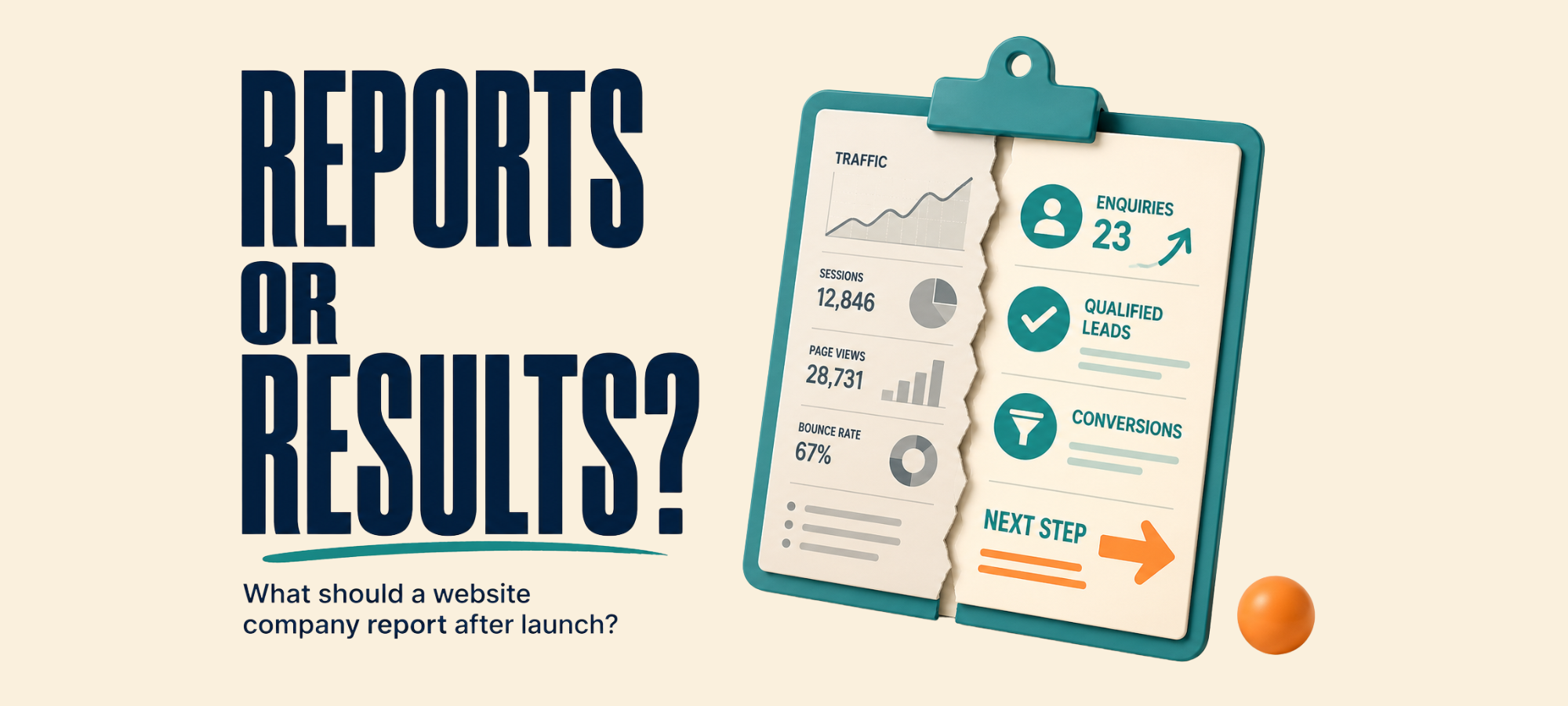
For most firms, the problem is simple. The report shows activity, but it does not help you make a decision.
A useful post-launch website report should do more than tell you numbers moved. It should show what was checked, what changed, what affected enquiries and what needs to happen next.
Here is the difference between a report that fills a page and a report that helps you run the business.
Key Takeaways
- The difference between an activity-only report and a decision-ready report
- What a website company should check after launch
- The seven things a useful post-launch report should answer
- Why “traffic is up” does not always mean things are working
- What to ask your current provider for if your reports fall short
A Post-Launch Report Should Not Just Be a Traffic Report
A new website does not stop needing attention once it goes live. Launch is the start of seeing how the site works in the real world.
A useful post-launch report should tell you whether the website is healthy, visible and helping people move towards an enquiry. It should not only tell you how many people visited.
At the very least, your website company should be checking whether key pages are live and working. They should also check whether forms, calls, tracking and search visibility are doing what they should.
That does not mean the report needs to be long. It means the report needs to answer the questions that matter.
Is the website working properly?
Are people finding it?
Are the right visitors taking the next step?
Are enquiries being captured and tracked?
What needs fixing, watching or improving next?
If your report does not answer those questions, it may be keeping you informed without making you any clearer.
What Activity-Only Reporting Looks Like
Most activity-only reports lean on numbers that are easy to pull. Sessions are up, page views have moved, rankings changed and bounce rate dropped slightly.
Those numbers can look reassuring on a page. They are not useless, but they are not enough on their own.
The problem is that they measure movement, not always progress. A website can get more traffic and still generate the same number of enquiries.
A page can rank better and still attract the wrong people. A report can show every graph moving in the right direction while your phone stays quiet.
This is not always dishonest. Often, it is just the easiest way to report because traffic data is simple to gather and hard to question.
The issue is what gets left out. If the report does not connect activity to enquiries, quality and next steps, it will not help you decide what to do next.
Activity-Only Report vs Decision-Ready Report
| Activity-Only Report | Decision-Ready Report |
|---|---|
| Shows traffic, clicks and impressions | Shows what changed and why it matters |
| Looks busy | Helps you decide what to do next |
| Focuses on movement | Connects activity to enquiries |
| Highlights the numbers that look good | Shows what needs attention |
| Leaves you with more questions | Gives you the next action |
| Feels hard to challenge | Makes the work easier to inspect |
The second type is the one you want.
A decision-ready report does not need to be complicated. It needs to make the current position clearer than it was before.
What a Useful Post-Launch Report Actually Includes
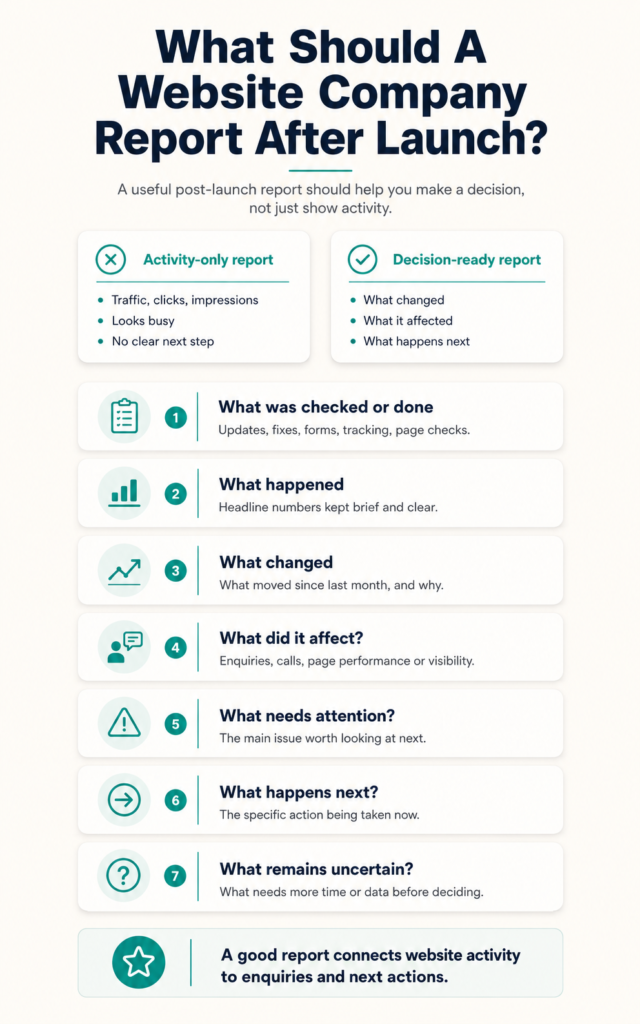
A report worth reading should answer seven things.
1. What Was Checked or Done?
Start with the work itself. Your provider should explain what they checked, updated, fixed or reviewed during the reporting period.
That might include form tests, plugin updates, page changes, speed checks, search visibility checks, tracking checks or content updates. You should not have to guess what happened behind the scenes.
2. What Happened?
This is where the headline numbers belong. Traffic, rankings, enquiries, form submissions and key page performance can all be useful.
The difference is that they should be kept brief and explained clearly. A report does not become more useful because it includes every number available.
3. What Changed?
A useful report should show what changed compared with the previous month or quarter. It should also explain why that change may have happened.
For example, traffic may have increased because a page started ranking better. Enquiries may have dropped because a key form stopped sending correctly or a campaign ended.
The “why” matters because numbers without context are easy to misread.
4. What Did It Affect?
This is the part many reports miss. A change only matters if you understand what it affected.
Did it change enquiries?
Did it affect phone calls?
Did it improve the number of people reaching a key page?
Did it bring in more of the right visitors?
Did it create any real business opportunity?
If the report cannot answer that yet, it should say so. Guessing is not better than being honest.
5. What Needs Attention?
A good report should point to the thing worth looking at next. That might be a page with traffic but no enquiries, a form that needs testing, a slow mobile page or unclear tracking.
This is where the report becomes useful. It helps you see the next sensible place to focus.
A weak report avoids this because it is easier to show the good numbers. A useful report shows the gap as well as the progress.
6. What Happens Next?
Every report should lead somewhere. It should explain what action is being taken because of what the data showed.
That action might be a fix, a test, a content update, a tracking change or a deeper review. The point is that the report should not end with “here are the numbers”.
If nothing is changing, that should be explained too. Sometimes waiting is sensible, but it should be a decision rather than silence.
7. What Remains Uncertain?
A useful provider will tell you what the data cannot prove yet. That matters because websites, SEO and buyer behaviour are not always instant.
For example, a page may need more time before the pattern is clear. A new tracking setup may need more data before you can judge it properly.
That kind of honesty builds trust. It is much better than pretending every number has a neat answer.
What Should Be Checked After Launch?
Post-launch reporting should cover the practical parts of the website as well as the marketing numbers.
Your provider does not need to write pages about every item each month. They should still have a clear view of the basics.
A useful report may include checks on:
- key pages
- mobile usability
- website speed
- contact forms
- phone click tracking
- enquiry notifications
- Google Analytics
- Google Search Console
- search visibility
- website errors
- security or update issues
- backups
- redirects
- important content changes
The exact list depends on what you are paying for. The important point is that a website company should not disappear after launch and send traffic numbers as if the site itself no longer needs checking.
Why “Traffic Is Up” Does Not Always Mean Things Are Working
Traffic is useful context. It tells you whether more people are reaching the website.
But traffic alone does not tell you whether the website is doing its job. For that, you need to know what visitors did next.
Did they look at the right pages?
Did they take a useful next step?
Did they call, enquire or book?
Were the enquiries genuine?
Did anyone become a client?
Without those answers, “traffic is up” can become a distraction. It may look positive while the business result stays the same.
More traffic can also expose a different problem. If more people arrive and still do not enquire, the issue may sit with the message, the page structure or the next step.
That is why a good report connects traffic to behaviour and enquiries. It does not treat traffic as the result.
What Enquiry Reporting Should Include
If your website is meant to generate enquiries, your report should show what happened to those enquiries. Otherwise, the reporting stops too early.
At a basic level, you should be able to see:
- how many genuine enquiries came in
- where they came from
- which pages or campaigns helped create them
- whether they came through forms, calls or another route
- whether tracking looks reliable
- whether any enquiries were missed or unclear
- what needs checking next
You do not need a perfect system to start. You do need enough visibility to know whether the website is creating real opportunities or just activity.
If your report shows “conversions” but nobody can explain what those conversions were, that is a problem. A conversion on a dashboard is not automatically a genuine enquiry.
If your report shows enquiries but nobody knows what happened afterwards, that is also worth checking.
If your report shows conversions but you’re not sure what happened next, read What Happened to Your Last 10 Genuine Enquiries?. It shows you how to trace enquiries from arrival to outcome.
Where Activity-Only Reporting Falls Short
Activity-only reports can keep you updated without making you more confident. You know something moved, but you do not know whether the business is closer to its next client.
They also make accountability harder. If every number is technically true but none of it links to an outcome, there is not much to question.
That can make the report feel like a shield. It protects the provider from scrutiny, but it does not help you understand what is working.
Over time, this trains firms to accept reporting as a formality. You receive it, skim it, file it away and still feel unsure.
A good report should do the opposite. It should make the work easier to inspect.
How to Tell if Your Report Is Padded
A padded report usually feels longer than it needs to be. It gives you a lot to look at, but very little to act on.
Signs include:
- pages of numbers with no clear summary
- charts that are not explained
- rankings with no link to enquiries
- traffic data without quality or source context
- repeated sections that barely change month to month
- no mention of weak spots
- no clear recommendation
- no next action
- technical language that makes simple points feel complicated
The test is simple.
After reading the report, can you say what changed, why it matters and what happens next?
If not, the report has not done its job.
What to Ask Your Current Provider For
You do not need to make this confrontational. Ask for clearer reporting in a practical way.
You can say:
“Can future reports please show what was checked, what changed, what it affected, what needs attention, and what you recommend next?”
You can also ask:
“Can you connect the website activity to genuine enquiries, not only traffic or rankings?”
Those are reasonable questions. A good provider should not be offended by them.
If the answer is vague, defensive or buried in more metrics, pay attention. That may tell you something about the relationship before you renew or spend more.
How This Connects to Website Ownership
Reporting and ownership are closely linked.
If your provider controls your analytics, tracking, forms and enquiry data, it is harder to check the report independently. You may be relying entirely on what they choose to show you.
That does not mean your provider is doing anything wrong. It does mean you need access to the accounts that hold your own website data.
If you are not sure what you own or what you can access, read Website Ownership: What Should You Actually Own After It’s Built?. It gives you the checklist to run before you sign or switch provider.
The Bottom Line
A report full of numbers is not the same as a report that helps you make a decision. If yours leaves you no clearer on what to do next, it is worth raising.
A useful post-launch website report should show what was checked, what changed, what it affected and what needs attention next. It should connect website activity to enquiries wherever possible.
Ask for the seven points above.
If you get them, you have a report worth reading.
If you do not, you now know exactly what to ask for.
Not sure whether your reports are telling you anything useful?
Book a More Clients Call. We’ll help you look at your current website, reports and enquiry setup, so you can see what is clear, what is missing and what needs checking before you spend more money.