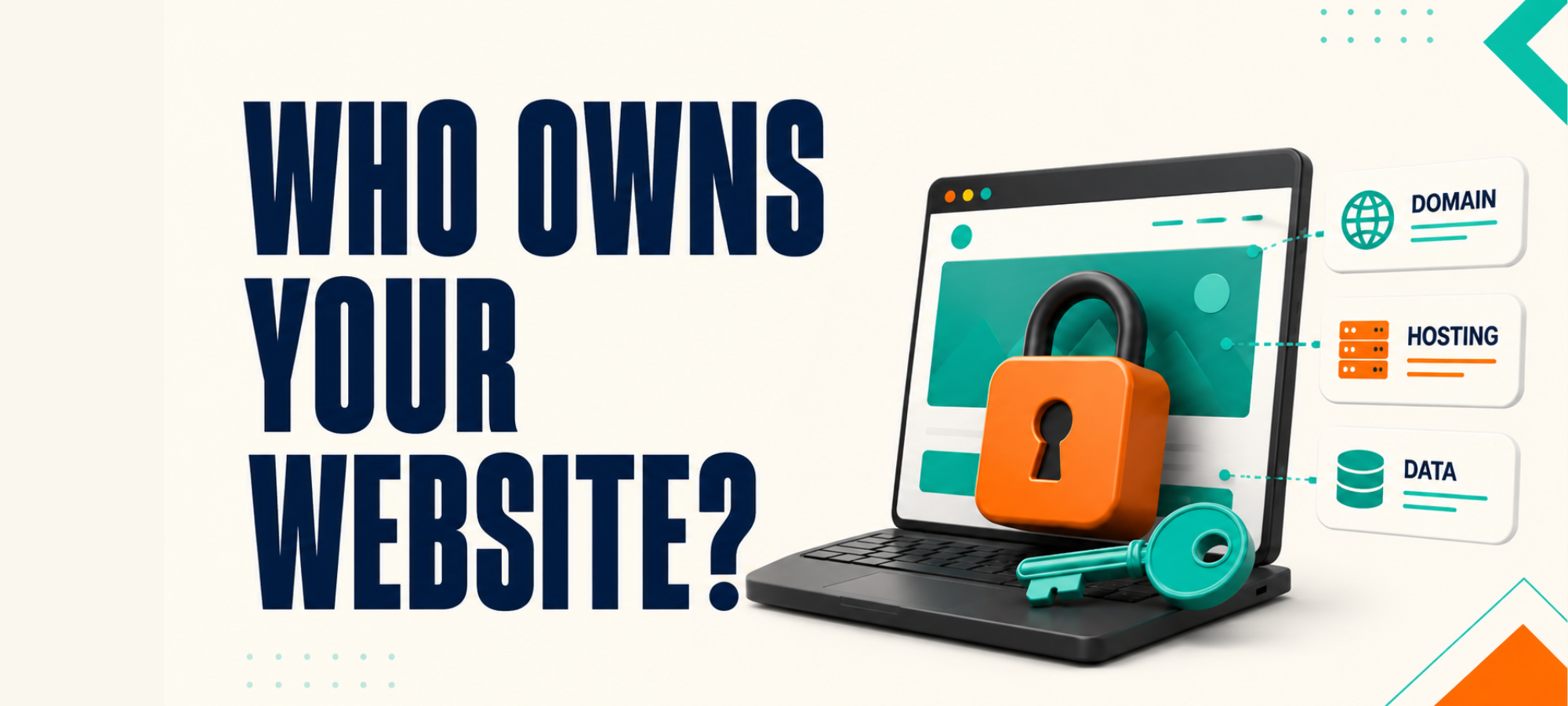
You paid for the website, so it’s easy to assume it belongs to you. Most firms only find out what they don’t control when they try to leave, change provider, or get access to their own accounts.
That is a horrible time to discover your domain, hosting, analytics, enquiry data or website files sit inside someone else’s account. It turns a simple supplier change into a stressful mess.
Full ownership doesn’t mean you have to manage everything yourself. It means you know what you own, what you can access and what can be moved if the relationship changes.
Here is the practical checklist to run before you sign with another provider, or before you discover too late that your website isn’t as “yours” as you thought.
Key Takeaways
- What website ownership should include
- Why managed support is not the same as hidden control
- The access points most firms forget to check
- What limited ownership can cost you later
- The questions to ask before you sign with a new provider
Why Website Ownership Matters
Website ownership rarely feels urgent while everything is going well. The site is live, your provider replies to messages and nothing has forced you to check who controls what.
The problem usually appears when something changes. You want to leave, move hosting, bring in another developer, review tracking or check where enquiries are going.
That is when you find out whether you have real control. If every important answer depends on your provider logging in for you, you are carrying more risk than you realise.
This does not mean every agency is doing something wrong. Sometimes the setup was built that way years ago and nobody thought to hand over access because nobody asked for it.
Still, it matters. Your website is part of how your firm is found, judged and contacted, so you should know what you can access and what belongs to the business.
Managed for You Is Fine. Hidden From You Is Not.
A good provider can manage technical work for you. Hosting, updates, security, forms, analytics and tracking often need someone who knows what they are doing.
That does not mean they should be the only doorway into your own website. There is a big difference between “we manage this for you” and “you cannot access this without us”.
You may never want to touch the hosting account yourself. You should still know where it is, who owns it and what happens if you move away.
You may not want to work inside Google Analytics or Search Console. You should still have access to the accounts that collect your own website data.
Good support gives you help without taking control away from you. Poor setup makes you dependent on one provider for things your business should be able to access.
The Website Ownership Checklist
Ownership is not one thing. It is a set of accounts, files, data and access points that should be clear from the start.
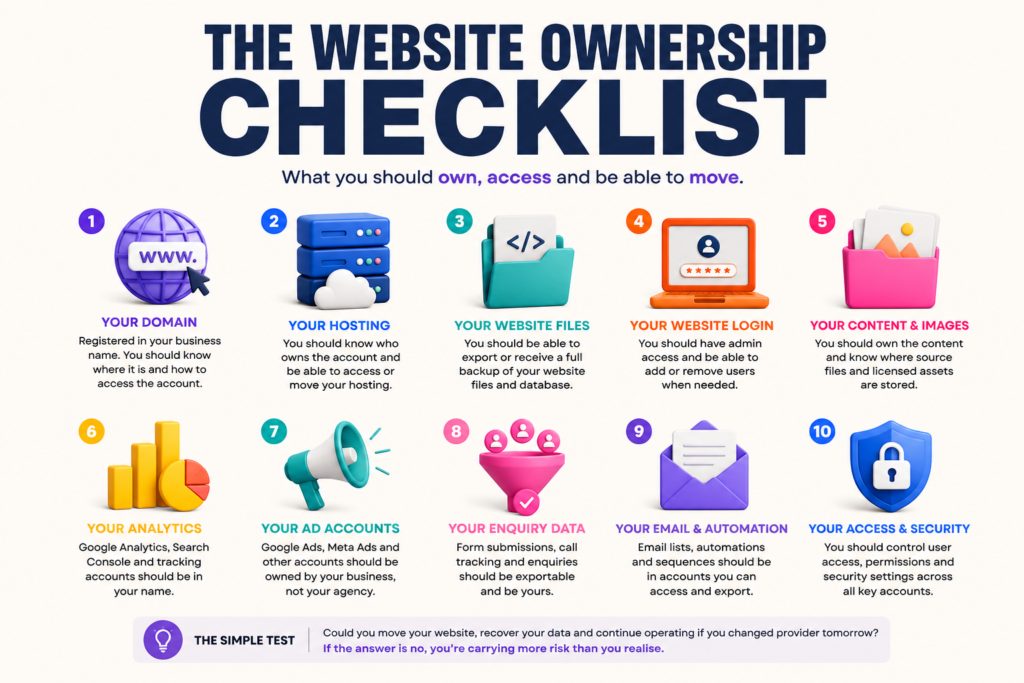
1. Your Domain
Your domain is the web address people use to find you. It should be registered in your business name, using an email address your business controls.
You should know which registrar it sits with and how to access the account. If your agency owns the domain account and you have to ask them every time something changes, that is a risk.
The simple test is this: could you renew the domain, change the contact details or move it to another provider without relying on your agency?
2. Your Hosting
Hosting is where the website lives. Your provider may manage this for you, but the ownership and access position should be clear.
For many firms, it is fine for an agency to manage hosting day to day. What matters is whether you can access the account, move the site or receive a full backup if you ever need to leave.
Ask who pays for the hosting, whose name is on the account and what happens if the contract ends. Those answers should not be vague.
3. Your Website Files and Database
If your website is built on WordPress, there should usually be a clear way to access or export the website files and database. That is what another developer would need if they had to move or recover the site.
If your site is on a closed platform, ownership works differently. You may own the account, content and data, but not the underlying platform code.
That is not automatically bad. It just needs to be clear before you sign, because some platforms are much harder to move away from than others.
4. Your Website Login
You should know what access level you have inside the website itself. On WordPress, for example, there is a big difference between editor access and administrator access.
Editor access may let you change pages and posts. Administrator access lets you manage users, plugins, settings and more technical parts of the site.
You may not need to use administrator access every day. But if you cannot add another developer, remove an old user or manage permissions without your provider, you do not have full control.
5. Your Content and Images
The words, images, graphics and downloads on your website should be accounted for. You need to know which assets you own, which are licensed and which came from third-party libraries.
This matters if you move provider or rebuild later. Some images, fonts or design assets may not be reusable outside the original licence.
Ask where the source files are stored and whether you can keep using the content if you leave. Do not wait until a rebuild to find out half the assets cannot move with you.
6. Your Analytics
Your website data should sit in accounts your business can access. That usually includes Google Analytics, Google Search Console and any other tracking tools used on the site.
Agency dashboards can be useful, but they should not be the only place your numbers exist. If access is removed, your reporting history should not disappear with it.
The simple test is whether you can log into the original account yourself. You should be able to see the data, add users and keep the history if you change provider.
7. Your Advertising Accounts
If you run Google Ads, Meta Ads or other paid campaigns, the account setup matters. Your business should understand who owns the ad account, billing details, campaign history and tracking data.
This is especially important if you have spent money building learning history inside an account. Losing that history can make a future handover harder than it needs to be.
A provider can manage campaigns for you without owning the account outright. The account should not vanish the moment the relationship ends.
8. Your Enquiry and Lead Data
Every enquiry your website collects should be accessible and exportable. That includes form submissions, call tracking, CRM records and any email automation connected to the site.
This data belongs to the business. It should not be trapped inside a tool you cannot access or a provider account you cannot export from.
If your provider set up forms, automation or CRM tracking, ask where the data goes. Then ask whether you can export it if you ever need to.
What Limited Ownership Can Cost You
Limited ownership can look harmless while the relationship is working. The site stays online, reports arrive and nobody is asking difficult access questions.
The cost appears when you need options.
If your provider owns the domain and the relationship breaks down, your website address becomes part of the problem. If they control the hosting and stop replying, moving the site becomes much harder.
If analytics live only in their account, you may lose the history that shows what happened over time. If enquiry data sits in a system you cannot export, you lose visibility of the opportunities your website created.
If you’re already unsure what happened to recent enquiries, read What Happened to Your Last 10 Genuine Enquiries?. It shows you how to trace enquiries from arrival to outcome.
Even when nobody is acting badly, poor access creates delay. A simple handover can turn into weeks of chasing logins, permissions and backups.
That is why ownership is not only a technical issue. It is a business risk.
How to Check What You Control Today
Start by listing the main parts of your website setup. You do not need to solve everything in one sitting.
Check whether you can access:
- your domain registrar
- your hosting account
- your website admin area
- your website files or backup system
- Google Analytics
- Google Search Console
- Google Ads or Meta Ads accounts
- form submissions
- CRM or lead data
- email automation tools
- source files for key design assets
Then mark each item as one of three things:
- we own and can access it
- our provider manages it, but we have access
- we do not know or cannot access it
The third group is where you start. Not knowing is not a disaster, but it is a gap worth closing.
Ownership is only one part of the picture. If you also want to check whether your website is quietly costing you enquiries, download 10 Costly Website Mistakes That Kill Your Web Enquiries.
10 Questions to Ask Before You Sign With a New Provider
Ask these before the project starts. It is much easier to agree ownership when the relationship is positive and everyone is clear.
- Will the domain be registered in our business name?
- Who owns the hosting account?
- Will we have administrator access to the website?
- Can we export the website files and database if needed?
- Who owns the Google Analytics and Search Console accounts?
- Who owns any ad accounts created for the business?
- Where will enquiry data be stored?
- Can we export form submissions, CRM records and lead data?
- What happens if we leave?
- Is ownership written into the agreement?
A good provider should not be offended by these questions. They are normal business questions.
If the answers are vague, defensive or delayed, pay attention. That tells you something before you hand over more money.
What to Do if Access Is Missing
Ask calmly and directly. Most providers will grant access once the request is clear.
You can say:
“I am reviewing our website ownership and access. Please can you confirm who owns the domain, hosting, analytics, website files and enquiry data, and arrange access for us where needed?”
Keep the request practical rather than confrontational. The goal is to get clarity, not start a fight.
If the provider refuses, delays repeatedly or cannot explain the setup, that is useful information. It may be time to get independent help before making any bigger website or marketing decisions.
The Bottom Line
A website does not feel risky when it is live and everything looks normal. The risk appears when you need to leave, change provider, check the data or recover access quickly.
You do not need to manage every technical detail yourself. You do need to know what your business owns, what you can access and what can be moved if the relationship changes.
Start with the checklist above. If anything is missing, ask for access while the relationship is still calm.
Not sure what you own, what you can access, or what would happen if you changed provider?
Book a More Clients Call. We’ll help you look at your current website setup, spot any access or ownership gaps, and work out what needs checking before you spend money changing the wrong thing.