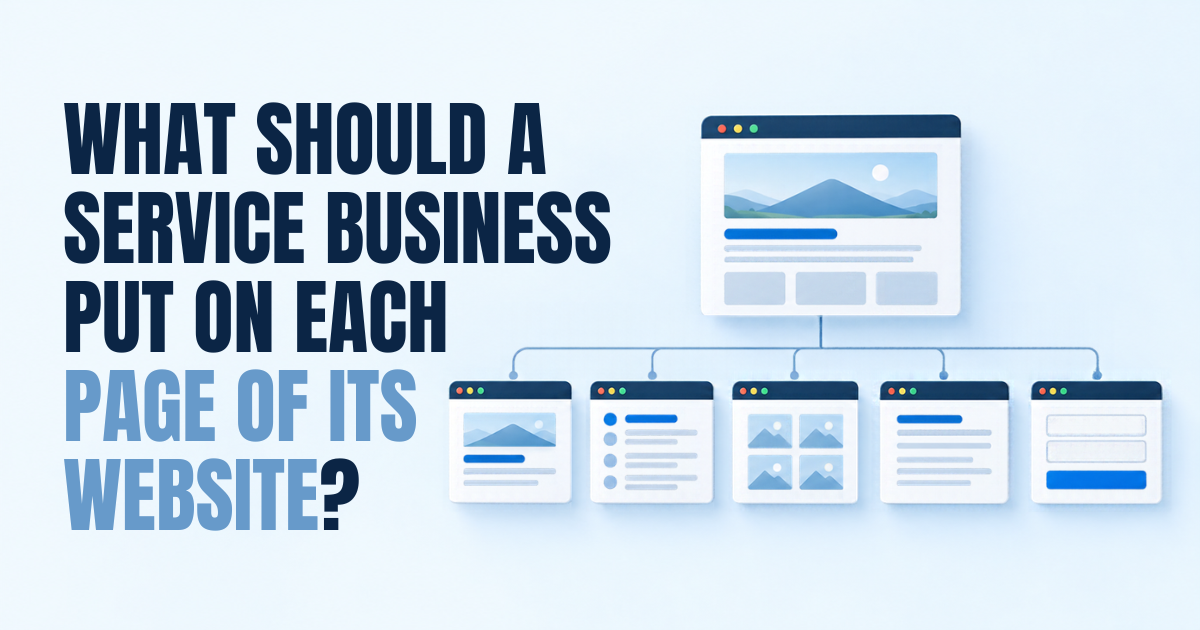
You know what you want to say about your business. But where does it all go? Does the history go on the home page? Do the prices go on every service page? And if you’ve tried to write your own website words, you may have ended up with a home page that says everything.
Meanwhile, a few other pages say very little. By the end of this article, you’ll have a simple page-by-page map. You’ll know the one job each page does, and what belongs on it.
We’ll go through the home page, service pages, about page, contact page, results, articles and location pages. Then we’ll cover how to link them together.
Key takeaways
- Every page should have one main job. If a page tries to do everything, it does nothing well.
- The home page points people to the right place. It doesn’t need to say it all.
- Each main service deserves its own page, written around the client’s problem.
- Reviews and results work best close to the next step, on the pages where people decide.
- Every page should end with the same clear next step.
In this article
- Give every page one job
- Your home page sends people to the right place
- Your service pages do the selling
- Your about page builds trust in the people
- Your contact page makes the next step easy
- Results, articles and location pages each have their own job
- Link the pages so people never get stuck
Give every page one job
In my experience, the most common problem with service websites is pages trying to do too much. The home page lists every service, the full history and a long welcome message.
A visitor arriving on that page has to do the sorting themselves. Many won’t.
So before you write anything, give each page one main job. Write it at the top of your notes, in one sentence. For example: “This page helps a business owner with a lease dispute decide to call us.”
Then everything on the page should help with that job. If a paragraph doesn’t, it belongs on another page or nowhere.
Your home page sends people to the right place
The home page has one job: help the right visitor understand you can help, then send them to the right next page or step.
Here’s what usually belongs on it.
- A clear headline that says what you do and who you help.
- One main button, such as “Book a call” or “Get in touch”.
- A short summary of your main services, each linking to its own page.
- A few real reviews or results.
- A brief line on who’s behind the firm, linking to the about page.
What usually doesn’t belong: the full company history, every service in detail, long welcome messages and sliders that change every few seconds.
We go deeper on the top of the home page in a separate article on what your first screen should say. For the wider picture, our guide to web design for professional service firms covers the whole site.
Your service pages do the selling
Service pages are where most decisions happen. Someone has a problem, finds your page and decides whether to get in touch. Give each main service its own page. A single “Services” page listing everything is hard for visitors and for Google.
A good service page usually covers these, in roughly this order.
- Who it’s for. Describe the situation the reader is in, in their words.
- The problem. What it’s costing them, without drama.
- How you help. Your process in a few simple steps.
- What’s included. What they get, and what happens when.
- Evidence. A relevant review, result or case study.
- Questions. The worries people have before they call.
- The next step. One clear button, repeated near the top.
Should prices go on service pages? That’s a bigger question, and it depends on your work. We cover it in our article on whether to put prices on your website. At the least, explain what affects the price.
Your about page builds trust in the people
People buy professional services from people. The about page is where they check who they’d be dealing with. Start with the reader. The history can come later. A line like “Looking for a firm that will explain things clearly? You’re in the right place” works better than “Founded in 1998”.
Then cover who you are, what working with you is like and real photos of the team. Your story and history can go here, kept short. End with the same next step as everywhere else.
Your contact page makes the next step easy
By the time someone reaches your contact page, they’ve nearly decided. Don’t make them work for it. Say what happens after they get in touch. For example: “We’ll reply within one working day with a time to talk.” That one line removes a lot of doubt.
Then give them the ways to reach you. A tappable phone number, a short form and your address if clients visit. Keep the form to what you need to reply.
Results, articles and location pages each have their own job
Results or case studies
This page shows that you’ve helped people like the reader. Describe the situation, what you did and what changed. Only use results the client has agreed you can share.
Articles
Articles answer the questions people ask before they buy. How much does it cost? How long does it take? What could go wrong? Each one should link to the service page it relates to.
Location pages
If you serve several towns, a page for each main service in each main town can help people searching locally. Each one needs real local detail. A copy with the town name swapped can do more harm than good.
A page that doesn’t fit any of these jobs is worth questioning. Does it need to exist, or can its best bits move somewhere else?
Link the pages so people never get stuck
Once each page has a job, link them so a visitor can always move forward.
- The home page links to each service page.
- Each service page links to related articles and results.
- Each article links back to its service page.
- Every page ends with the same next step.
Watch for pages that are dead ends. A page with no next step is one of the website mistakes that cost firms enquiries without them noticing.
What this looked like for one client
A small London law firm that handles business disputes wanted more of that kind of work. We rewrote most of its service pages and articles, and added new pages for the disputes it wanted more of.
That ran alongside a website revamp, SEO and work on its Google Business Profile.
Comparing January to April 2026 with May to August 2026, enquiries about business matters through its website forms went from 10 to 19. These are early results, and the work ran together, so no single page can take the credit.
One page, one job, one next step
When every page has one job, writing your website gets much easier. You stop trying to fit everything onto the home page. The home page points the way. Service pages do the selling. The about page builds trust. The contact page makes it easy.
Link them together, and end every page with the same clear next step.
If you’d like help working out what each of your pages should say, book a More Clients Call. It takes under 30 minutes, and you’ll come away with a clear plan for your pages.
Not ready for a call? Read whether to put your prices on your website.