
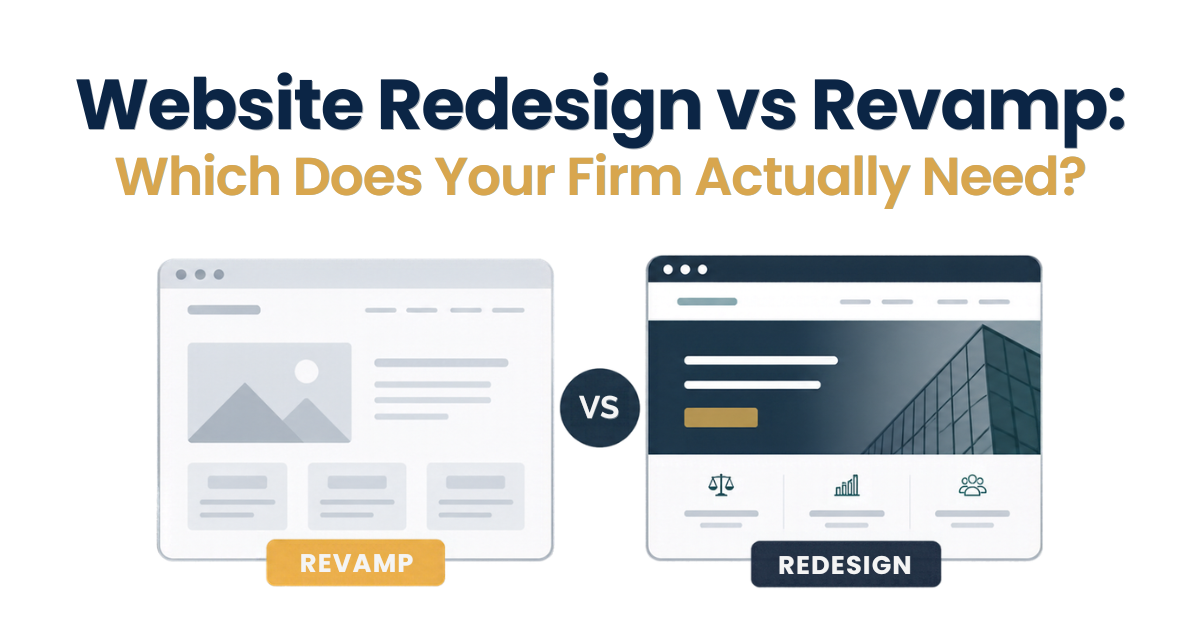
A revamp improves the website you already have. A redesign starts again with a new structure and design. If your problems sit in a few places, like one weak page or a clunky form, a revamp usually comes first. A redesign makes sense when the platform, the structure or your control of the site is the real problem.
Your website is starting to feel tired. Maybe a competitor launched a new one. Maybe a client said they couldn’t find something. Or maybe you just wince a little when you hand out the address.
So do you need a whole new website, or would a refresh do the job? And how do you decide without paying for the wrong one?
This is the website redesign vs revamp question, and it comes up often in first conversations with firms. The two words get used as if they mean the same thing. They don’t, and the difference matters for your budget and for your search rankings.
By the end of this article, you’ll know what each option involves and the signs that point to each. You’ll also have five questions to answer before you spend anything.
Key takeaways
- A revamp improves the website you have. A redesign starts again with a new structure and design.
- Most firms’ website problems are specific, so a revamp is often the right first step.
- A redesign makes sense when the platform, the structure or your ownership of the site is the real problem.
- Frustration with how a site looks isn’t evidence that it needs replacing. Find the actual fault first.
- Whichever you choose, plan your redirects so you don’t lose the search visits you already have.
A revamp improves what you have, a redesign starts again
A revamp, sometimes called a refresh, keeps the website you already have. You work on the parts that are holding people back. That might be the home page wording, a confusing service page, the contact form or the photos.
The structure stays. The platform stays. Most of your pages and web addresses stay the same.
A redesign starts again. You get a new structure, a new design and usually new wording across the site. It often means a new build, and sometimes a new platform.
Think of it like a house. A revamp is a new kitchen and a fresh coat of paint. A redesign is knocking it down and building again on the same plot.
Neither option is better on its own. The right one is the one that fixes your actual problem.
A revamp is often enough when the problem is specific
In our experience, most firms who ask for a new website don’t need one. They need two or three parts of the current one to work properly.
A revamp is usually the right call when:
- your site is reasonably modern and works on phones
- people visit, but too few of them get in touch
- the problems sit in a few places, such as one weak page or a clunky form
- you own your website and can change it without asking permission
- you’ve added a service or two, but the business hasn’t changed shape
Typical revamp work includes clearer wording on the home page, stronger service pages, a simpler contact route and real reviews near the next step. It can also cover speed, photos and tracking, so you can see what changes.
The big advantage is speed. You can fix the clearest gap first, see what happens, then move on to the next one. You learn as you go, and you spend money where the evidence points.
Not sure if your site is helping? Start with our guide to whether your website is helping or hurting your client growth.
A full redesign makes sense when the foundations are wrong
Sometimes fixing parts of a site is like decorating a room with a leaking roof. The problem keeps coming back.
A redesign is usually the better choice when:
- the platform can’t do what you need, such as adding pages, booking calls or tracking enquiries, without awkward workarounds
- the site is built around an old version of your business, with services, clients or locations that have changed
- you don’t properly control your domain, hosting, files or analytics
- the site is hard to use on a phone from start to finish, not just in one or two places
- every important page has the same problems, so fixing them one at a time would cost more than starting again
The business change is a common one for firms that grow through referrals. The website was built years ago, the firm moved on and the site stayed frozen. In that case, the structure itself may be telling the wrong story.
A redesign takes more time and more of your attention. Done well, it gives you a site built around how you work today.
Each option has its own way of going wrong
Both routes can waste money if they’re chosen for the wrong reason.
When a redesign goes wrong
The most common mistake we see is a new site that carries over the old problems. The wording is still vague. The contact route is still awkward. Enquiries still go to an inbox nobody owns.
A new design can’t fix a message problem on its own. If visitors didn’t understand what you do on the old site, a prettier version won’t help much.
Redesigns can also lose search visits. When pages move or disappear without redirects, Google loses track of them, and so do your old links and bookmarks.
When a revamp goes wrong
A revamp goes wrong when the foundation really is the problem. You fix the home page, then the service pages, then the form. Each fix helps a little, but the platform keeps getting in the way.
Small fixes on a broken setup can become a false economy. If you’ve made several rounds of changes and the same issues keep returning, ask whether the foundation needs replacing.
The answer to both is the same. Find out what’s broken before you choose the size of the fix.
Five questions to answer before you decide
Set aside half an hour and answer these honestly. Your answers will usually point clearly one way.
1. Does your website work for a stranger on a phone?
Open your site on your phone as if you’d never seen it. Can you tell what the firm does, find the right service and get in touch? Then send a test enquiry and check it arrives.
If it mostly works with a few rough edges, that points to a revamp. If it’s awkward from start to finish, that points to a redesign.
2. Is the problem in one place or everywhere?
List the specific things that bother you. A weak headline, one confusing page and a slow form are all fixable on their own. If every page has the same problems, the structure may be the issue.
3. Do you own everything you should?
Check that you can get into your domain, hosting, website files, analytics and Search Console. If a provider controls these and won’t hand them over, that’s a strong reason to move and rebuild.
4. Can your platform do what you need now?
Think about what you’d like the site to do in the next two years. If the platform can’t do it without workarounds, a revamp will only delay the decision.
5. Has your business changed more than your website has?
New services, a different type of client or a new location can all leave a site out of step. If the change is small, update the key pages. If the whole business has moved on, the site may need to move with it.
For a fuller walk-through, our article on redesign vs rebuild takes you through six checkpoints in about 20 minutes.
Protect your search visits whichever you choose
If your website already brings in visitors from Google, protect them. This matters for a revamp and a redesign, but the risk is bigger with a redesign.
Before anything changes, make a list of the pages that get the most visits. Search Console shows this for free. Keep those pages, or move their best content to the new page that replaces them.
Whenever a web address changes, add a permanent redirect (a 301) from the old address to the new one. That way, Google, old links and bookmarks all land in the right place.
Keep old pages as drafts rather than deleting them. If something goes wrong, you can bring the content back.
After launch, check Search Console for a few weeks. Look for pages that have dropped out or show errors, and fix them quickly.
Don’t wait for a redesign to keep your site current, either. A short review once a year catches out-of-date details, broken links and slow pages before they become a bigger job.
If you’ve been putting this decision off, you’re not alone. Our article on why professional firms delay website decisions looks at what that delay can cost.
Find the fault before you choose the fix
Answer the five questions above this week, with your own website open on your phone. Write down what you find, then decide.
If you’d like a second opinion on whether your site needs a redesign or a revamp, book a More Clients Call. It’s a free call, under 30 minutes, and you’ll leave knowing which route fits your firm.
Not ready for a call? Read how to tell if your website is helping or hurting your client growth.